01
Open DXF drawings
Open DXF drawings directly on your phone and inspect the drawing's entities.

Measure DXF lengths, analyse entities by filters and export detailed reports.
Need the total length of lines, arcs, polylines or circles in a DXF drawing? DXF Length Master opens your DXF file, inspects every entity and calculates lengths in seconds, with powerful filters, detailed reports and one-tap export.
Open DXF drawings directly on your phone and inspect the drawing's entities.
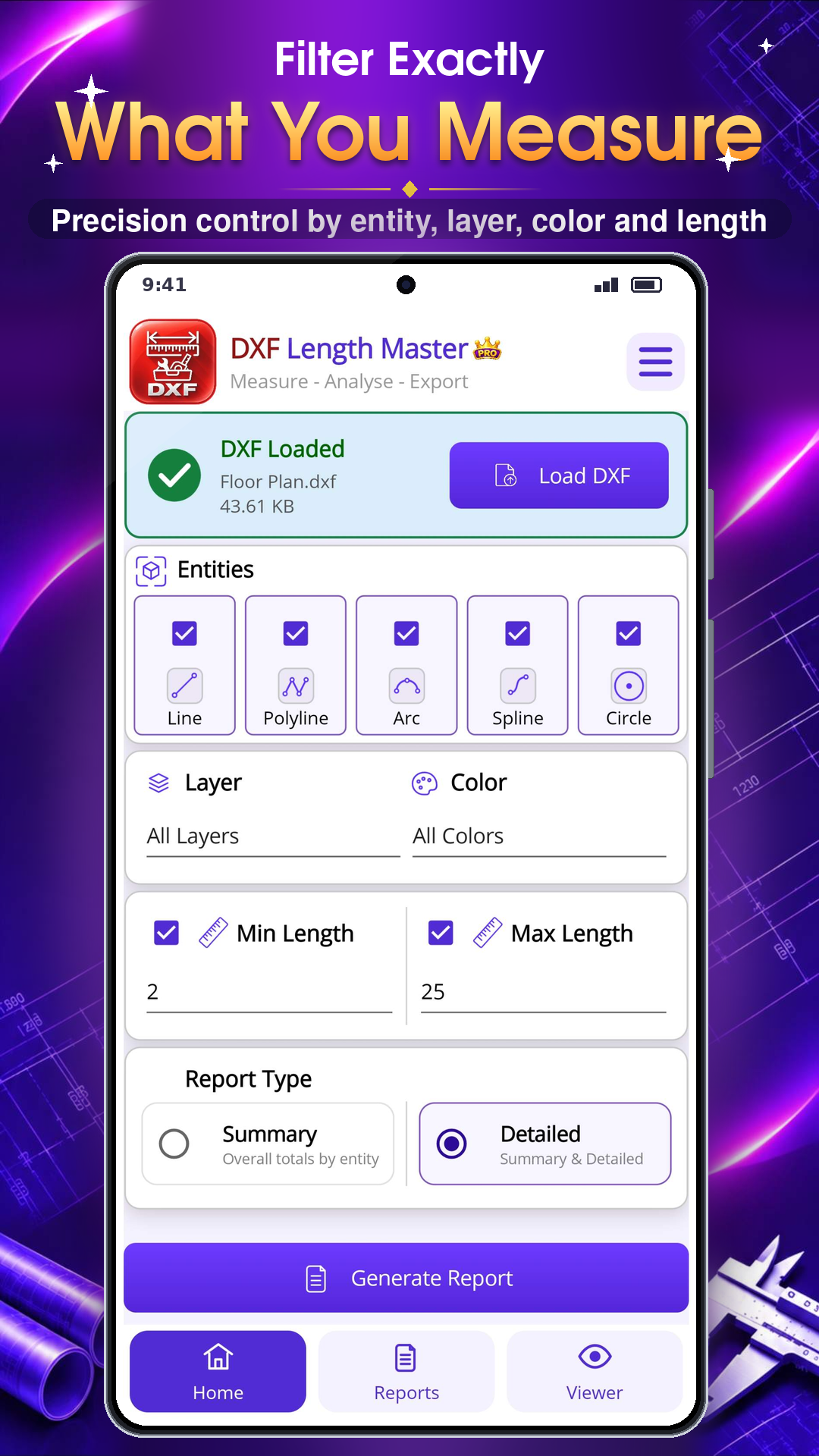
Measure Lines, Polylines, Arcs, Splines and Circles.
Filter by entity type, layer, color, minimum length and maximum length.
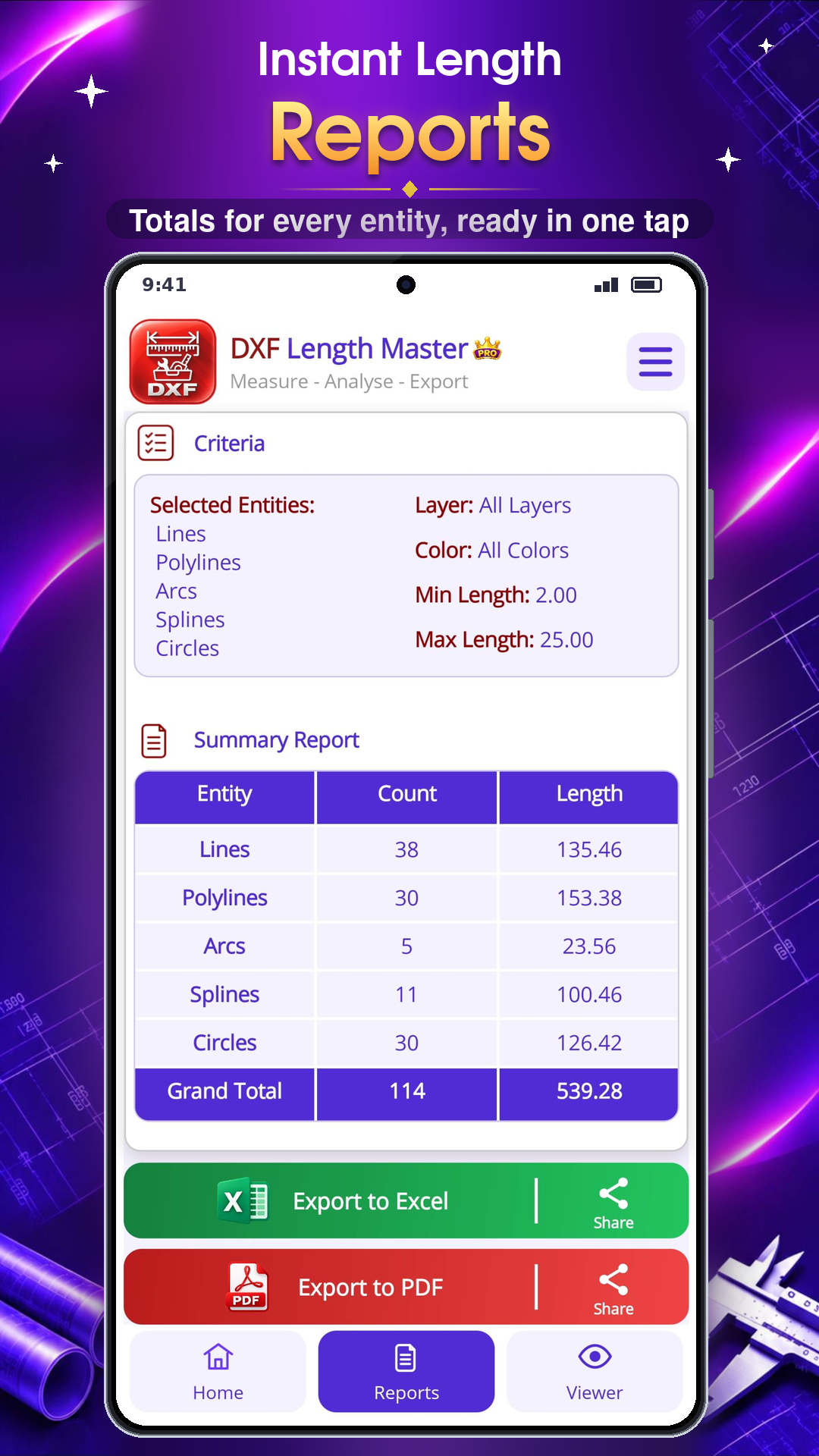
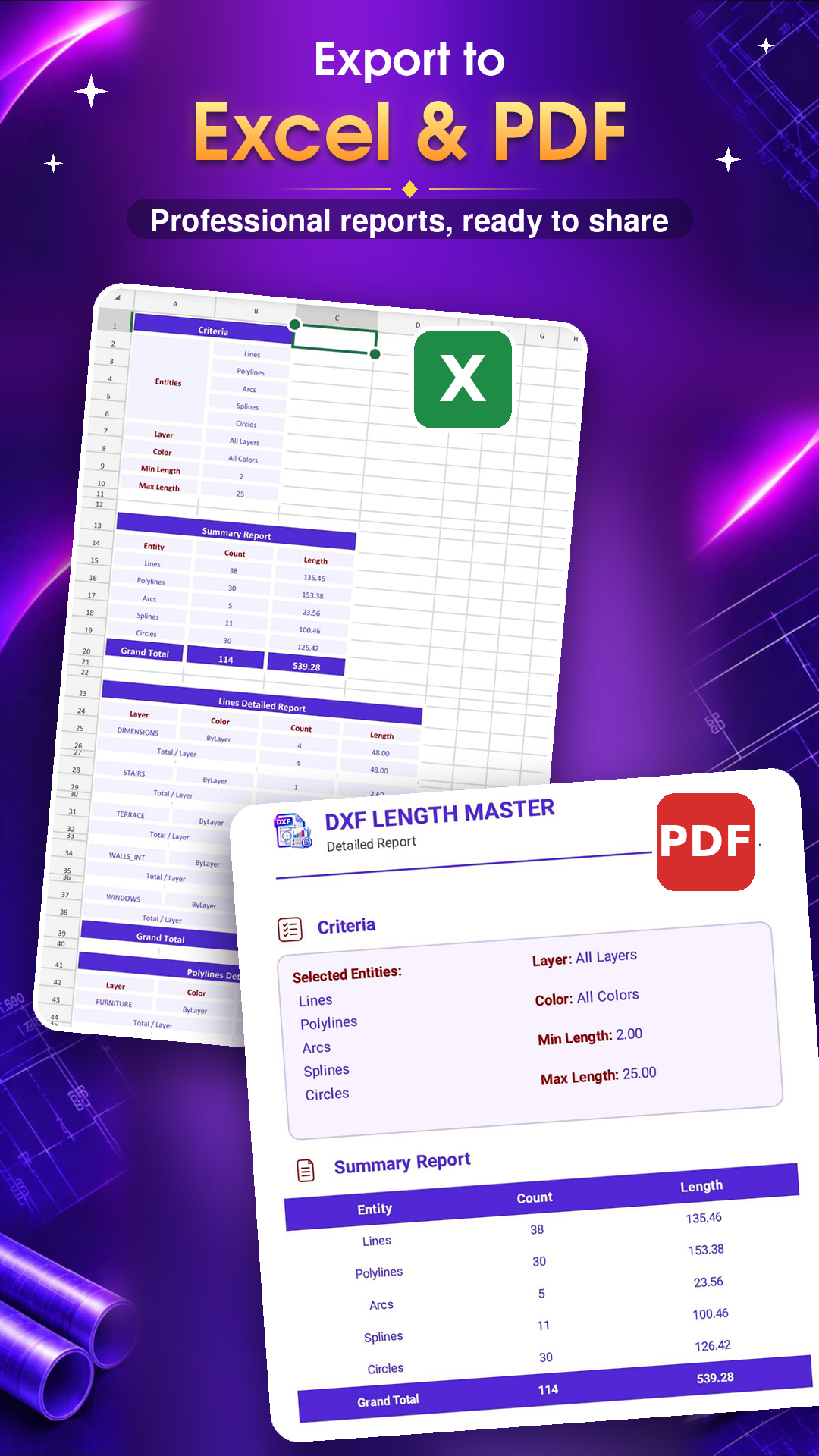
Review entity counts and total lengths in a clear summary report.
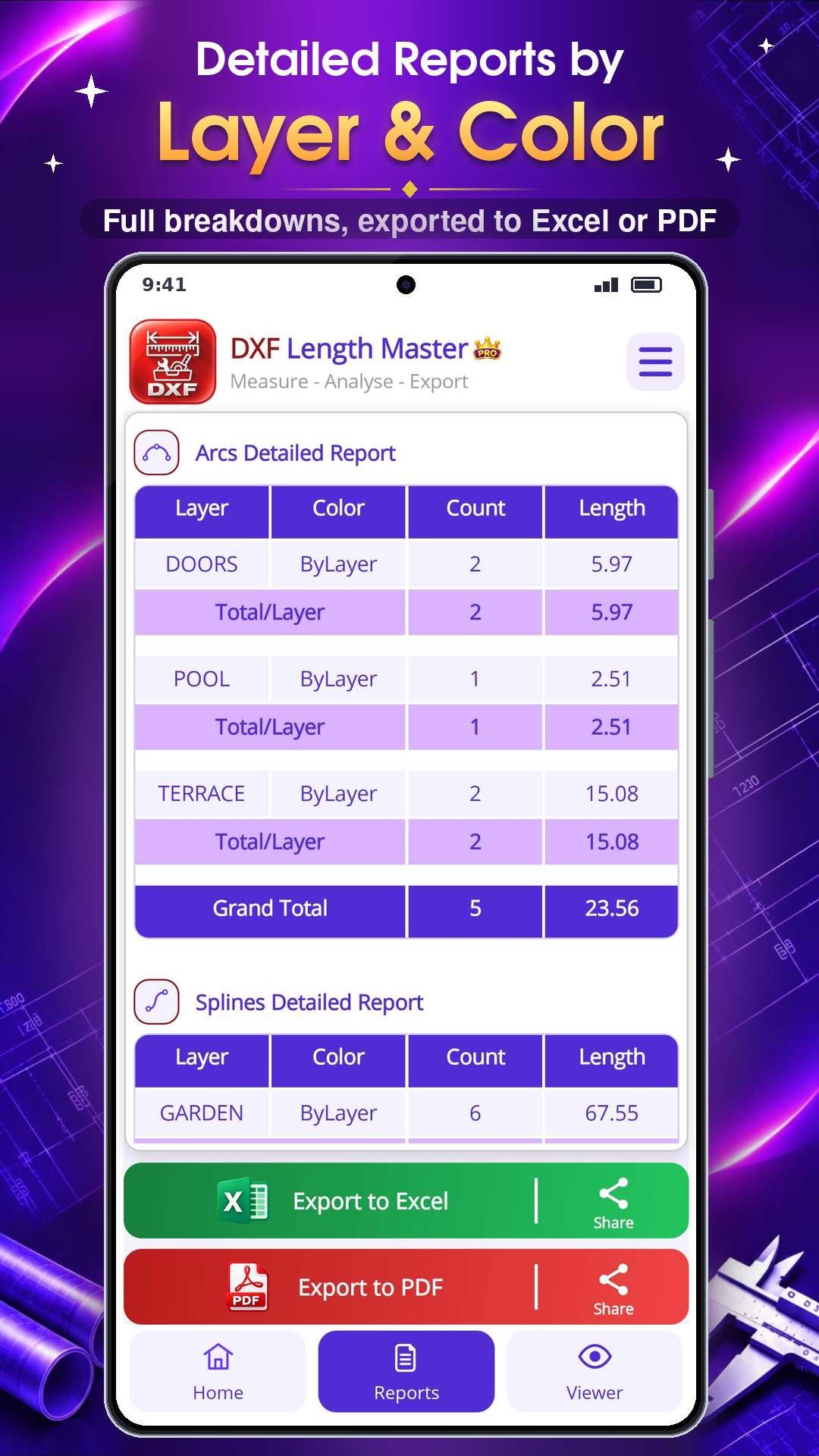
See lengths broken down by entity, layer and color.
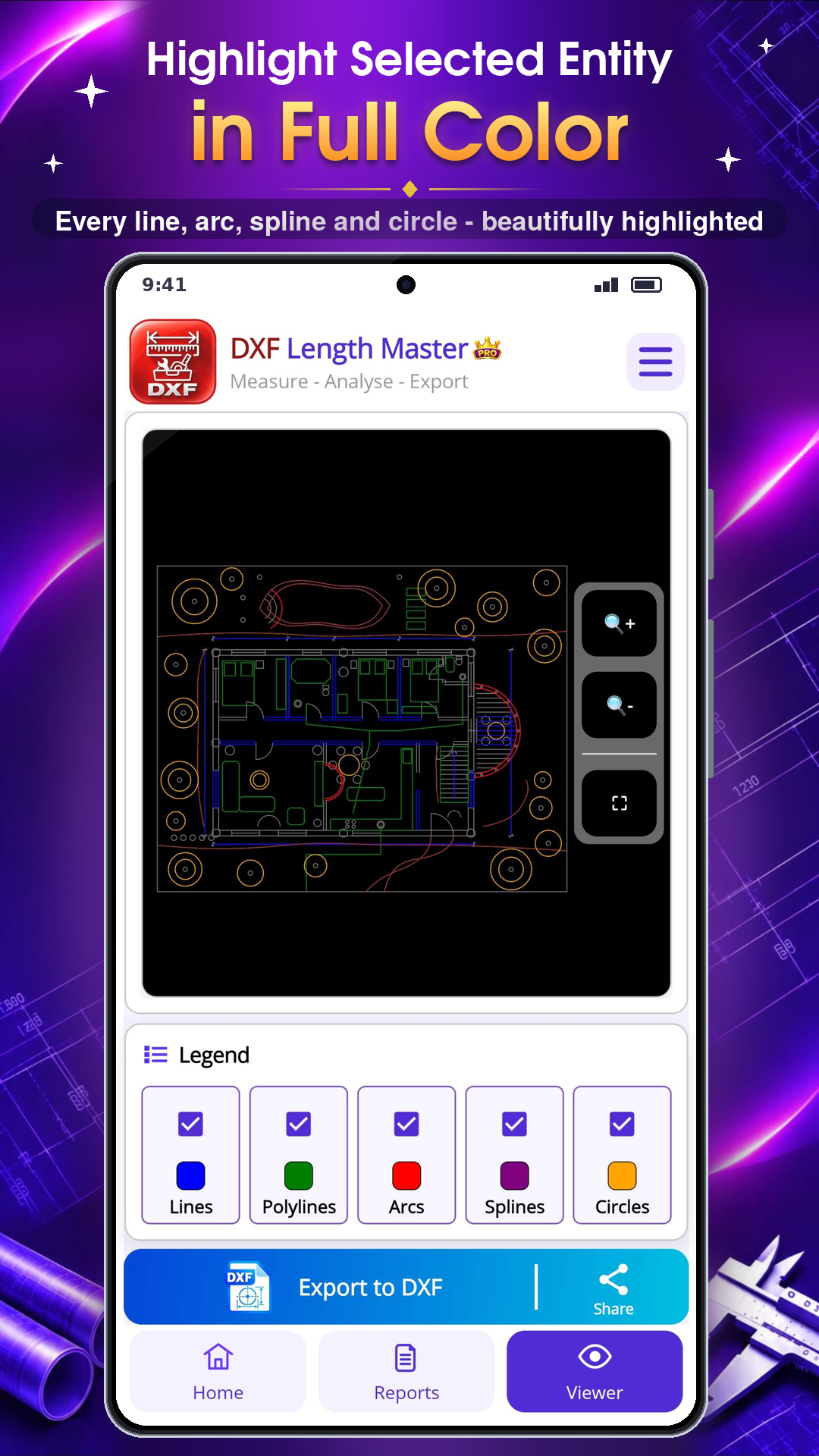
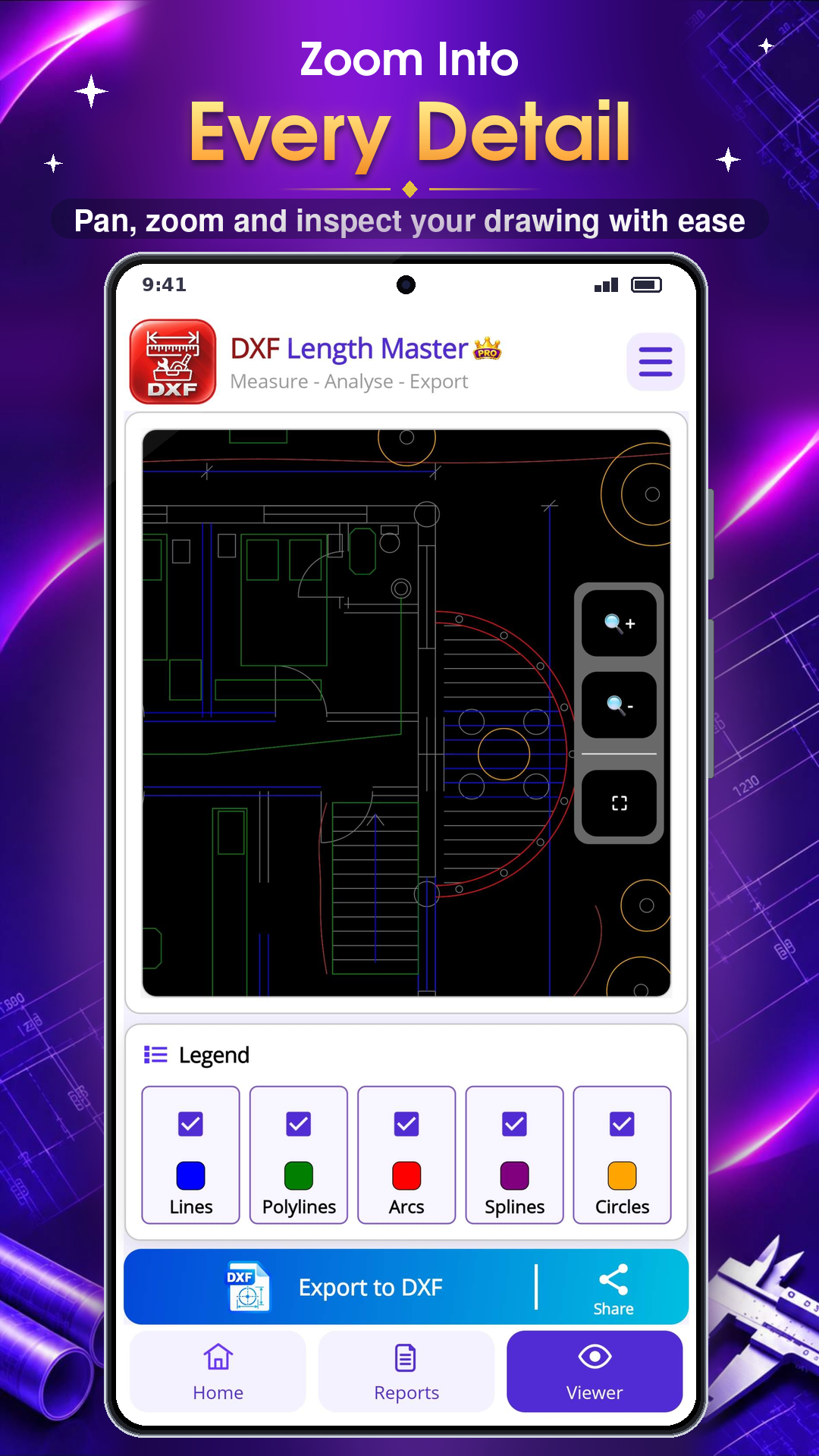
Zoom and pan around your drawing, with filtered entities highlighted in color.
Export measurement reports to Excel and PDF.
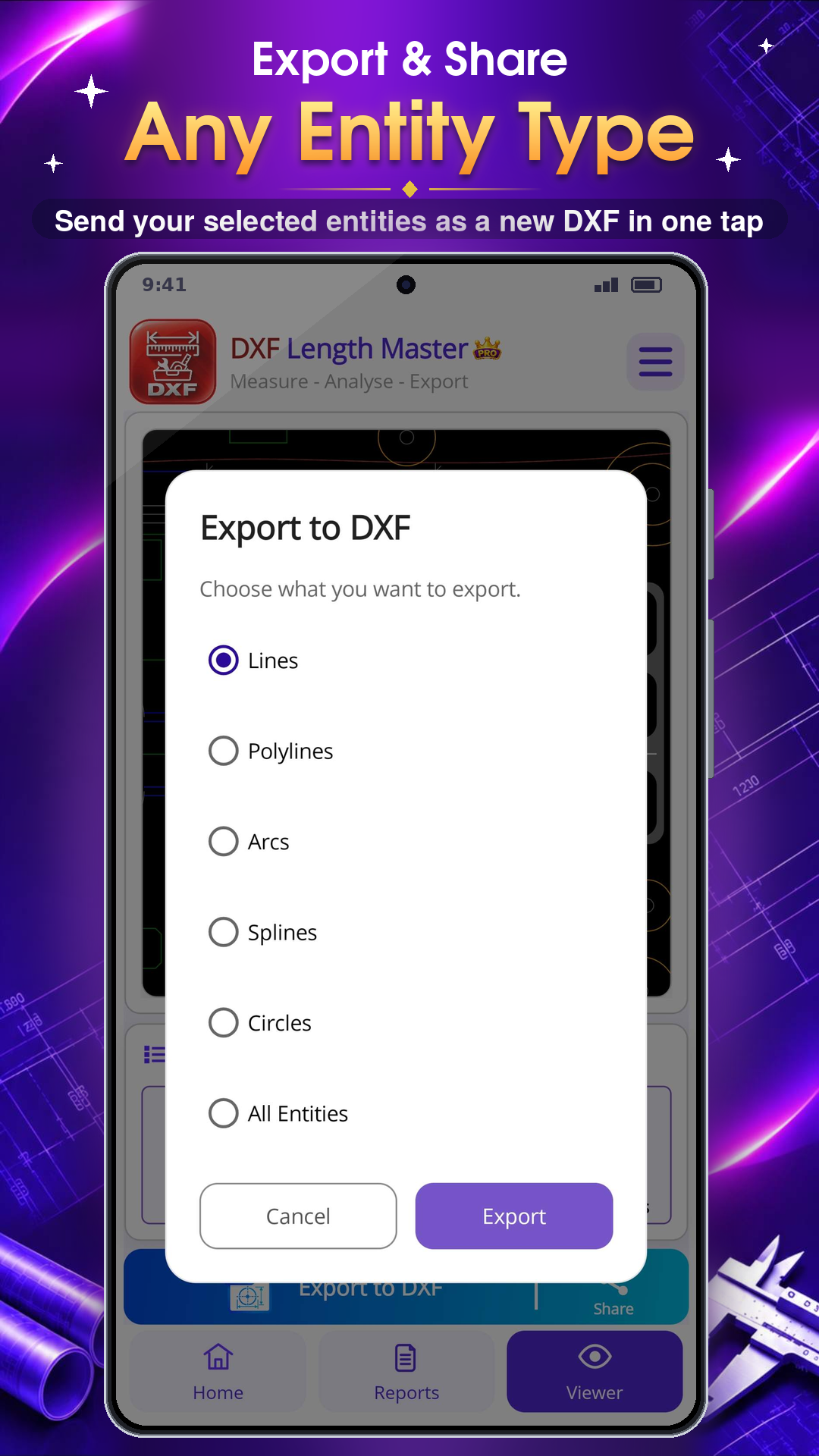
Export your filtered entities to a new DXF file.
Share reports and drawings directly from the app.
Explore the actual app screens: measurement filters, summary and detailed reports, drawing highlights, zoom controls, and export options.
Measure the geometry types supported by the app:
Supports DXF files compatible with these AutoCAD versions:
Stop measuring one element at a time. Apply filters, get accurate totals and share professional reports in minutes.
Ideal for CNC and laser cutting estimates, architectural plans, quantity take-offs and engineering drawings.
Measure DXF lengths, analyse entities by filters and export detailed reports. Open the official Google Play listing for app availability and installation.
View on Google Play